Your Google Doc, typeset like a real book.
Pressetter turns your manuscript into a print-ready paperback for Amazon KDP and a Kindle eBook, without leaving Google Docs.
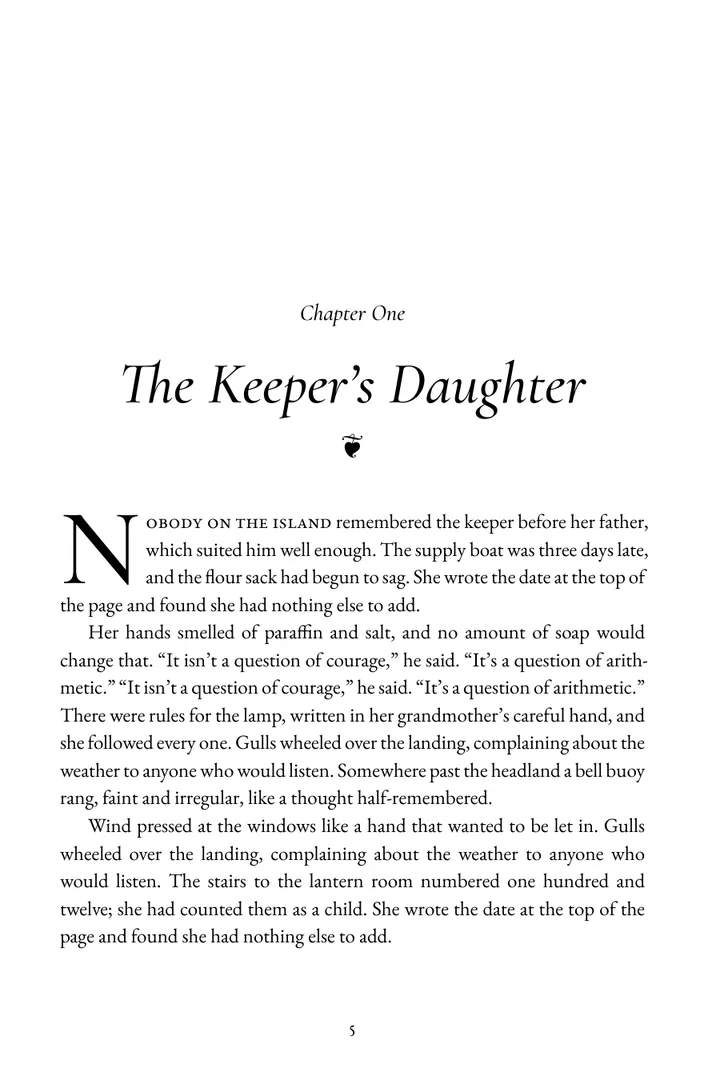
- Chapters open on a right-hand pageTitles, labels and ornaments in the style you pick.
- A drop cap three lines deepFitted to the text, not pasted on.
- Small caps for the opening wordsThe way a published novel begins.
- Margins KDP acceptsThe inside margin grows with your page count, by Amazon's own table.
- Page one is chapter oneNo numbers on blank or title pages.
From draft to KDP upload in three steps
You keep writing where you already write. There's nothing to install on your computer and nothing to copy and paste.
-
Write in Google Docs
Use headings for your chapters, or just type “Chapter 1”. Pressetter reads books the way people really write them, blank lines, tab indents and all.
-
Run the free check
Open Pressetter from the Extensions menu. It finds chapters, front and back matter, and anything KDP would reject, and tells you what it will fix for you.
-
Export your files
Pick a trim size and a style. Pressetter saves a print-ready PDF and a Kindle EPUB to your Drive, plus the exact cover size for your page count.
Six book styles
Each style sets the chapter openings, ornaments and headings, and suggests a font to match. Every page below is real output from the same sample manuscript.
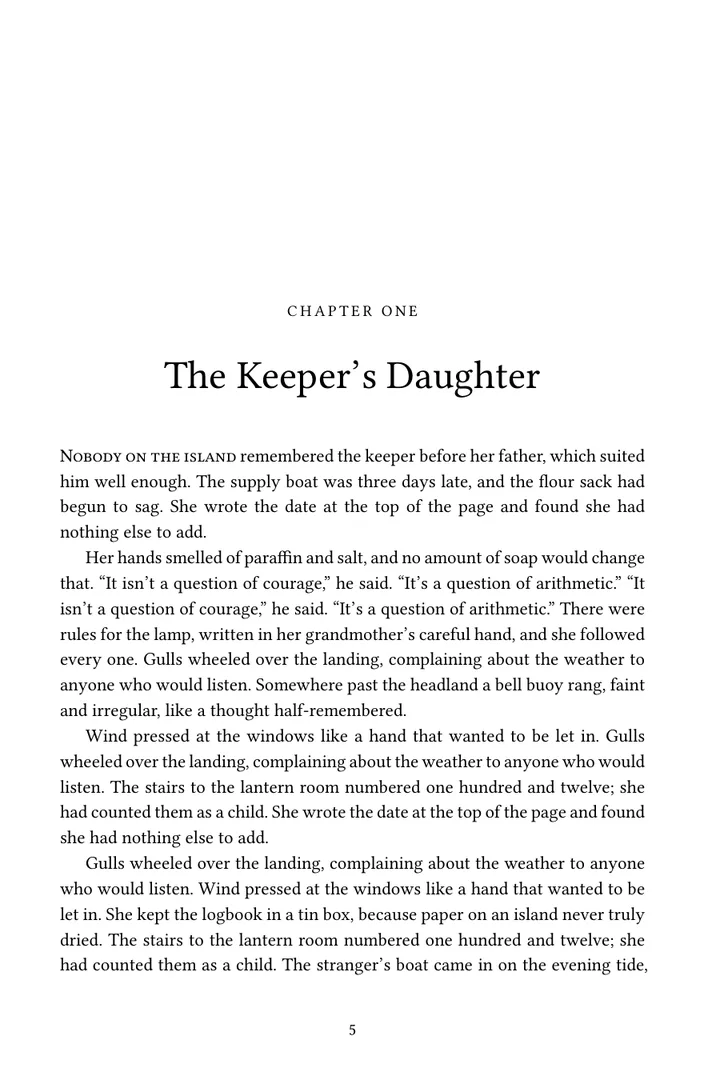
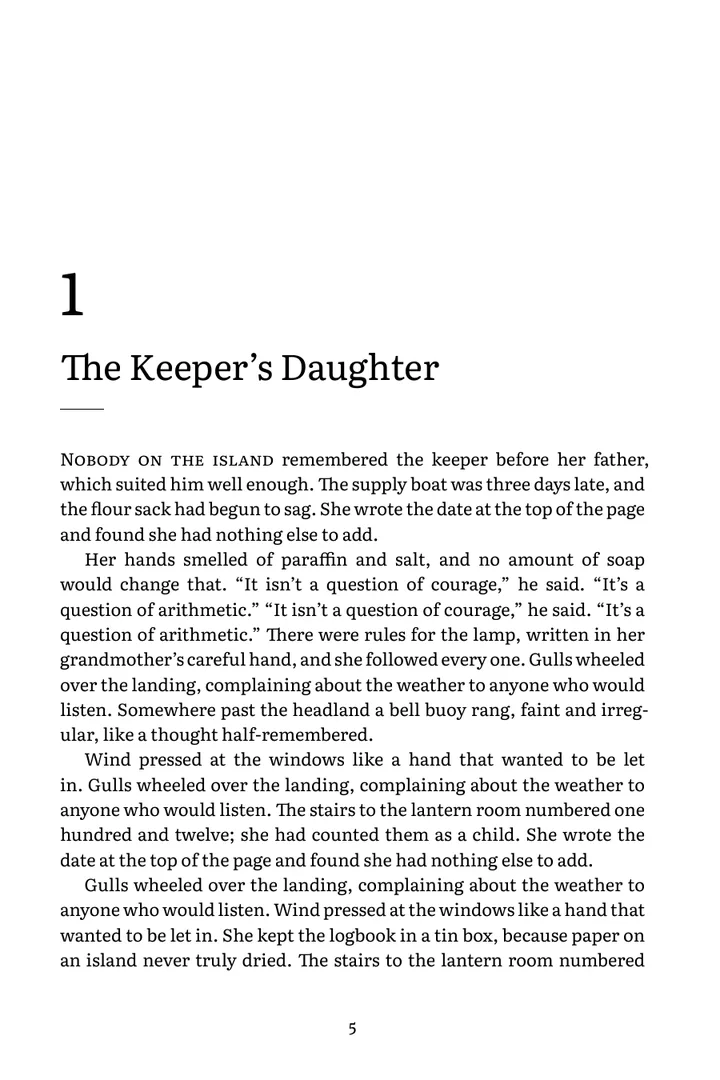
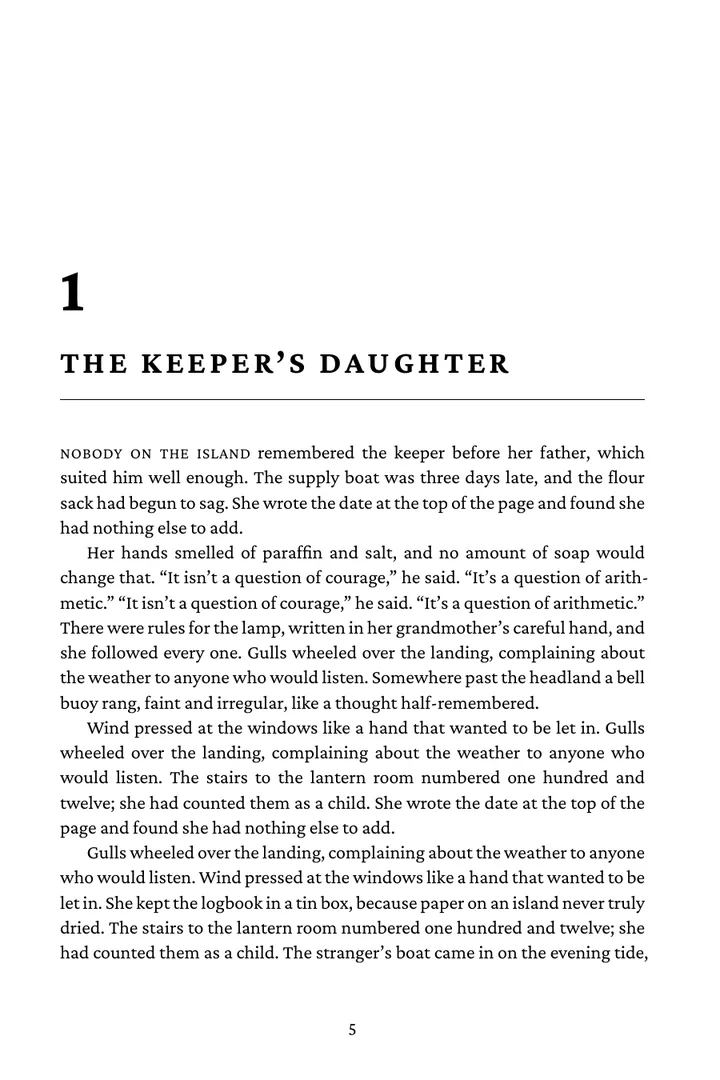
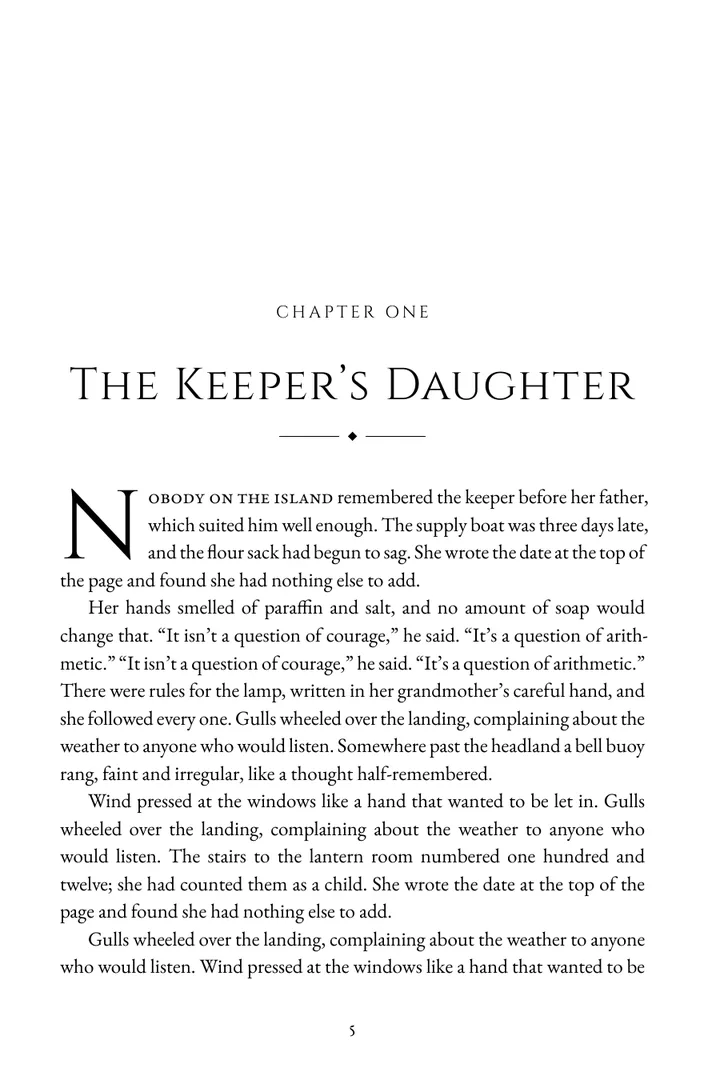
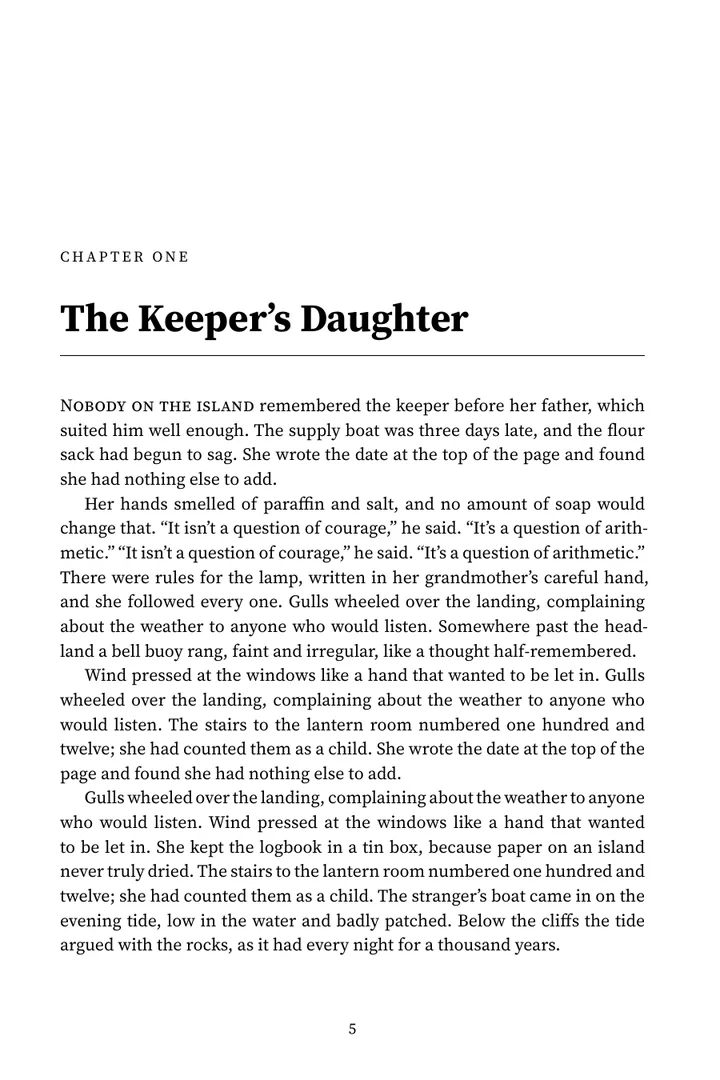
Twelve book fonts are included, among them EB Garamond, Libre Caslon, Libre Baskerville, Literata and Atkinson Hyperlegible for large print.
Checked against KDP's rules before you upload
Every export comes with a print check, so you find problems in your sidebar instead of in KDP's previewer.
Trim size and page count
All twelve common KDP trim sizes, with the 24-page minimum and the maximum for your paper.
Margins and gutter
Outside margins of at least 0.25", and an inside margin that follows your page count.
Fonts and images
Every font embedded. Images checked for resolution at the size they'll print.
Cover size
The exact full-wrap cover size and spine width for your page count and paper.
Kindle eBook
An EPUB with a working table of contents and footnotes, valid against the EPUB standard.
Messy manuscripts
Blank lines, tab indents, straight quotes and double hyphens, cleaned up on export. Your document isn't changed.
Pay once. No subscription.
Try everything for free. You only pay when you're ready for the final files.
Free preview
See your whole book before you buy.
- The manuscript check
- Every style, font and trim size
- A full paperback PDF with a “Preview” watermark
- Your cover size and spine width
Single book
One manuscript, as many exports as you need.
- Print-ready paperback PDF
- Kindle eBook (EPUB)
- Re-export after every edit, forever
Unlimited
Every book you'll ever write.
- Everything in Single book
- Unlimited manuscripts
- All future styles and fonts
Prices in US dollars. Taxes are calculated at checkout. Not happy? Ask for a refund within 30 days.
Questions
Do I need to format my Google Doc in a special way?
No. Headings help, but Pressetter also recognizes chapters typed as plain text, like “Chapter 7” or “Part Two”. Run the free check to see exactly how it reads your book.
Will KDP accept the files?
The PDF is built to KDP's published paperback requirements and checked against them before you download it. We still recommend ordering a printed proof copy from KDP before you publish, as every printer does.
Does it change my document?
Never. Pressetter reads your document and creates new files in your Google Drive. Your manuscript stays exactly as you wrote it.
What counts as one book for the single-book license?
One manuscript: the Google Doc you first export with that key. You can edit and re-export it as often as you like. A different manuscript needs another single-book license, or Unlimited.
Does it work on Windows, Mac and Chromebook?
Yes. Pressetter runs inside Google Docs, so it works anywhere Google Docs does.
What happens to my manuscript when I export?
It's sent over an encrypted connection to our typesetting server, laid out in memory, and returned to your Drive. We don't store it or read it. The privacy policy has the details.
Can I use it for hardcovers?
Not yet. Paperback and Kindle are supported today; hardcover is on the way, and Unlimited licenses will get it at no extra cost.